OnlyFans Chargebacks and Refunds: What Creators Need to Know
OnlyFans chargebacks explained: why a payout drops, what the OnlyFans refund policy says, what fans can dispute, and how to keep chargebacks rare.
Direct answer: OnlyFans chargebacks happen when a fan reverses a payment through their bank or card company instead of through OnlyFans. When one succeeds, your share of that payment is removed from your income, even though it was already credited to you. The OnlyFans refund policy treats subscriptions, tips, paid posts and paid messages as non-refundable unless the terms of service were broken, so almost every reversal a creator sees is a chargeback. You cannot stop them entirely, but you can keep them rare.
Chargebacks show up on real statements for the accounts we manage, so this is written from that side: what the rules actually say, how a dispute plays out, and what keeps the rate low.
How OnlyFans chargebacks hit your payout
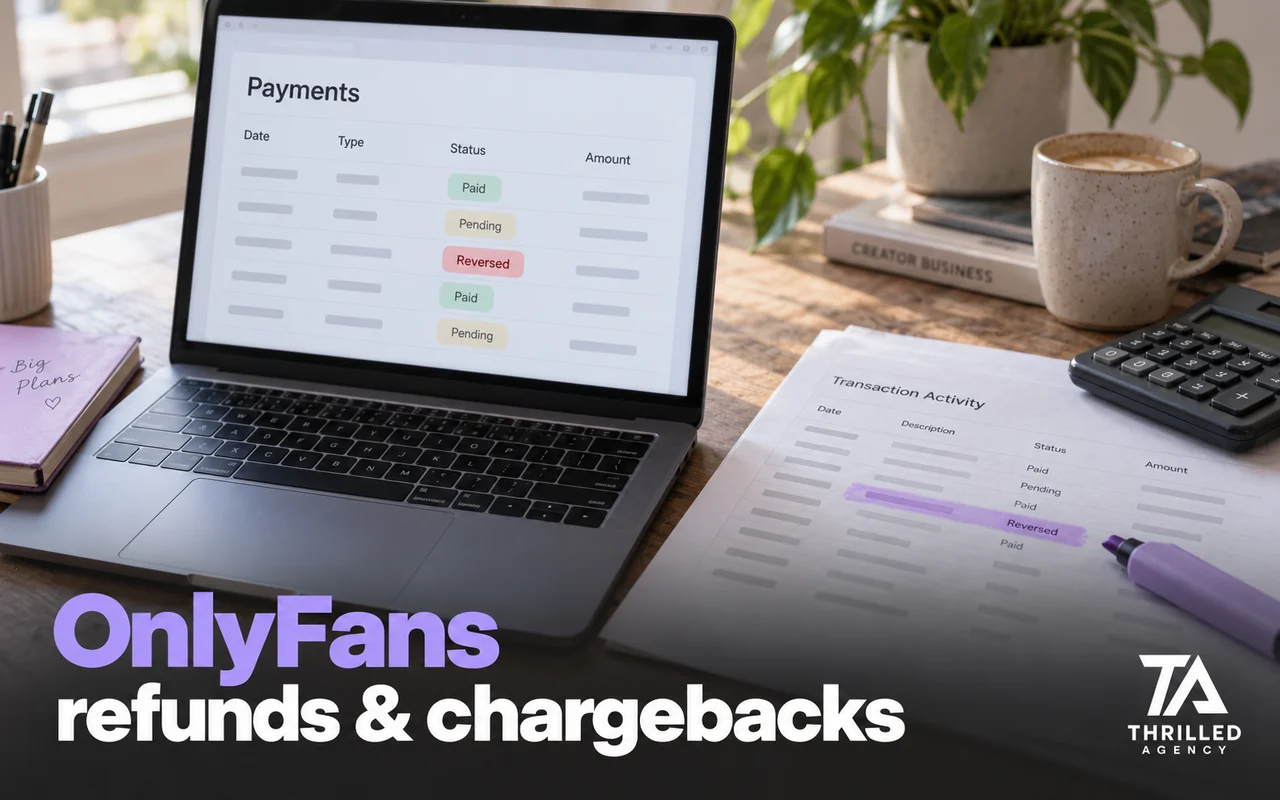
The most common reason a creator sees a smaller-than-expected payout is a chargeback from a previous period. The bank sides with the cardholder, and OnlyFans removes the amount from the creator's income, as its help center page on chargebacks explains. It appears as an adjustment on your statements, often weeks after the sale. The same page says OnlyFans cannot prevent a fan from filing a chargeback in the first place. Understanding this is the first step, because it means the fix is prevention, not appeals.
What the OnlyFans refund policy says
The policy fans see is short. OnlyFans states that all subscriptions, tips, streams, paid posts and paid messages are non-refundable unless there has been a violation of its terms of service, and fans who believe there has been one contact OnlyFans support. Refunds go through the platform, not through the creator. A fan who wants money back outside that route has one option left, which is their bank.
Two more rules sit behind that. OnlyFans' contract between fans and creators says a fan agrees not to start a chargeback unless they dispute the purchase in good faith, and that the creator agrees to provide paid content once the fan has paid. Its terms add that a fan who makes refund or chargeback requests in bad faith can have their account suspended or deleted. Fans in the UK and EU keep any statutory refund rights they have under consumer law. If a dispute ever turns into a legal question, talk to a lawyer rather than arguing it in the chat.
How a chargeback works, step by step
- The fan sees the charge on their card statement, where OnlyFans payments appear as "OnlyFans", "OF" or "OnlyFans.com", and contacts their card issuer.
- The issuer reviews the claim with the payment processor OnlyFans uses. In the US, the FTC explains that cardholders can dispute billing errors, including charges for things that weren't delivered as agreed, and should get the dispute to the issuer within 60 days after the first bill with the error was sent.
- If the issuer sides with the fan, the payment is reversed and your share is removed from your income as an adjustment.
- The fan loses access to what they bought. OnlyFans also tracks chargebacks for suspicious activity, and a fan who files them risks having their access to the platform limited or blocked.
You are not a party to the issuer's decision, which is why there is so little to do after the fact.
What a fan can dispute
Any card payment can technically be disputed: subscriptions, pay-per-view purchases, tips and customs. The reasons fans give fall into a few groups: they did not recognize the charge on their statement, they claim they did not authorize it, they felt the content did not match what was promised, or they are simply trying to get content for free. The first group is the largest and the easiest to prevent.
How to keep chargebacks rare
- Deliver exactly what was sold. A PPV message that promises more than the file contains is the fastest way to a dispute. Previews and descriptions should be honest.
- Send customs only after payment clears, and keep the agreement in the chat. The conversation is your record if a dispute is ever reviewed.
- Make big purchases memorable. A short thank-you that names what the fan bought helps them connect the charge on their statement to something they chose.
- Watch for patterns. A fan who buys heavily and then disputes is not a customer. Restrict or block repeat offenders rather than chasing them.
- Keep conversations respectful and clear on price. Confusion about what a tip was for turns into "unauthorized" claims weeks later.
- Avoid pressure selling. Fans pushed into a purchase they regret dispute more often. Sustainable chatting sells to fans who want to buy.
What you can and cannot do after one
You cannot reverse a bank's decision, and OnlyFans says it cannot stop a fan from filing one. What you can do is block the fan so it does not happen again, review the conversation to see whether anything on your side invited the dispute, and track chargebacks as a percentage of revenue. On well-run accounts it stays very low; if it climbs, the cause is almost always in how content is sold, not in the fans. The pricing side of the same problem is in the OnlyFans pricing guide.
Refund requests in your inbox
Fans do ask creators directly for refunds. Refunds go through OnlyFans support, not through you, and it is worth saying so calmly and once. What you can offer is goodwill: an extra piece of content or a discount on their next purchase, if the fan is otherwise good. Treating a refund request as a conversation rather than a threat keeps most of them from turning into disputes.
Chargebacks are a symptom. The cure is selling honestly to fans who actually want to buy, and having the receipts when they change their mind.
How this fits into management
Chargebacks are one of the numbers in our weekly reporting for every account, alongside revenue, retention and conversion, because a rising rate is an early warning that the chat strategy is pushing too hard. For the full picture of what reaches your bank after fees, chargebacks and holding periods, see how much OnlyFans takes. If you are seeing unexplained payout drops, our free audit includes a look at where they come from. Apply for a free audit.
Frequently asked questions
Does OnlyFans give refunds?
Only in limited cases. OnlyFans says subscriptions, tips, streams, paid posts and paid messages are non-refundable unless its terms of service were violated, and fans raise those cases with OnlyFans support.
What happens when a fan does a chargeback on OnlyFans?
If the bank sides with the fan, your share of the payment is removed from your income and shows as an adjustment on your statements. The fan loses access to that content and risks having their OnlyFans access limited or blocked.
Can a creator refund a fan on OnlyFans?
Not directly. Refund requests go to OnlyFans support. What a creator can offer is goodwill, such as an extra piece of content, when the fan is otherwise a good one.
Can you fight a chargeback on OnlyFans?
Not in any practical sense. The decision is made by the fan's card issuer, and OnlyFans says it cannot prevent a fan from filing one. What you control comes before the sale: honest descriptions, agreements in the chat and delivery that matches what was sold.
How long does a fan have to file a chargeback?
It depends on the card issuer and the reason for the dispute. In the US, the FTC's guidance for billing errors is to reach the issuer within 60 days after the first bill with the error was sent, so a chargeback can arrive weeks after the sale.
Should I block a fan who files a chargeback?
Usually, yes. A fan who buys and then disputes is not a customer. Block or restrict them, then review the conversation to see whether anything on your side invited the dispute.
The team managing live OnlyFans accounts at Thrilled Agency — chatters, strategists, and marketers writing about the work they do daily. Our editorial standards →
Let our team handle the business of you.
Creator-focused management. We don't take more clients than we can give white-glove attention.